SCORM Version Selector
Not sure which SCORM version to use for your e-learning project? Use this tool to determine the best fit based on your course complexity and tracking needs.
Have you ever tried to move an online course from one platform to another, only to find that it doesn’t work? The videos won’t play, the quizzes don’t save scores, and the progress bar is stuck at zero. It’s frustrating, right? You spent hours building that training module, and now it’s broken because of a technical mismatch.
This problem used to be the norm in the early days of corporate training. Every learning management system (LMS) spoke its own language. If you built a course for Platform A, you couldn’t use it on Platform B. That’s where SCORM came in to save the day. But what does SCORM actually mean, and why do instructional designers still talk about it twenty years later?
The Origin Story: Why We Needed a Common Language
To understand SCORM, you have to go back to the late 1990s. The U.S. Department of Defense was struggling with training costs. They had thousands of different software systems for military training, and none of them could share data. If a soldier completed a module on one system, the next system didn’t know it. This meant redundant training and wasted budget.
In 2001, the Advanced Distributed Learning (ADL) Initiative released the first version of SCORM. The acronym stands for Sharable Content Object Reference Model, which is a set of technical standards for Web-based e-learning. It wasn’t just a file format; it was a rulebook. It told developers how to package content and how Learning Management Systems should read that content.
Think of it like USB ports before they became universal. Before USB, you needed different cables for every device. With SCORM, we got a "USB" for e-learning. It allowed content created by one vendor to run on any compliant LMS. This interoperability revolutionized the industry, shifting power from expensive, proprietary software suites to flexible, open standards.
How SCORM Actually Works Under the Hood
You don’t need to be a coder to use SCORM, but understanding the mechanics helps you troubleshoot when things go wrong. At its core, SCORM relies on two main components: the content package and the runtime environment.
The Content Package (ZIP File)
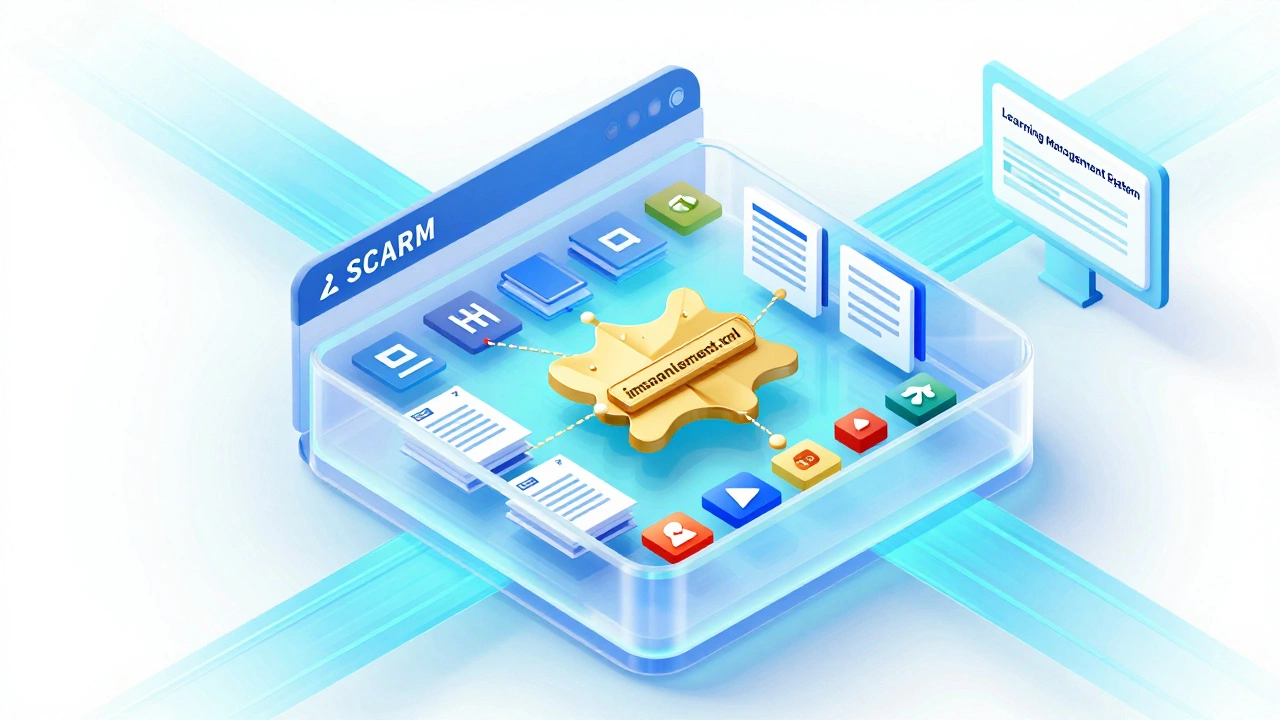
When you finish building a course in authoring tools like Articulate Storyline or Adobe Captivate, you export it as a SCORM package. This is essentially a ZIP file containing:
- HTML files for the slides and interactions.
- Media assets like videos, images, and audio.
- A manifest file called
imsmanifest.xml. This is the map. It tells the LMS exactly which files are there, how they connect, and the order in which they should appear.
The Runtime Environment (API)
This is the tricky part. When a learner opens the course, their browser loads the HTML. Inside that code is a script that talks to the LMS using a specific interface called the SCORM API. This communication happens in real-time.
Here is a simple example of what happens behind the scenes:
- Learner clicks "Start." The course sends a message:
Initialize(). - Learner completes a quiz. The course sends a message:
SetValue("cmi.core.score.raw", 85). - Learner closes the window. The course sends a message:
Commit()to save the data, thenTerminate().
If the LMS isn’t listening for these messages correctly, or if the course isn’t sending them, the tracking fails. This is why you sometimes see errors like "SCORM API not found"-it usually means the LMS wrapper around the iframe isn’t configured properly.
Key Features: What Data Can SCORM Track?
One of the biggest reasons organizations stick with SCORM is its ability to track detailed learner performance. It goes beyond just "completed" or "not completed." Depending on the version, SCORM can capture:
| Data Field | What It Tracks | Why It Matters |
|---|---|---|
| Suspend Data | User input saved between sessions | Allows learners to resume exactly where they left off, including text answers. |
| Score | Quiz results (min/max/raw) | Enables pass/fail logic and certification requirements. |
| Time Tracked | Durations spent on each object | Helps managers ensure compliance with time-based training mandates. |
| Status | Completed, incomplete, passed, failed | Basic reporting for HR and compliance audits. |
This level of granularity was groundbreaking. Before SCORM, many systems only knew if a user logged in. Now, trainers could see exactly which questions were missed most often, allowing them to refine the material based on actual data.
SCORM Versions: Which One Should You Use?
Not all SCORM packages are created equal. There are three main versions you will encounter, and mixing them up can cause headaches.
SCORM 1.2
This is the legacy standard. It’s simple, widely supported, and works almost everywhere. However, it has limitations. It treats the entire course as a single unit for scoring. If your course has five modules, SCORM 1.2 struggles to report scores for each module individually. It’s great for simple awareness training but poor for complex assessments.
SCORM 2004 (3rd and 4th Editions)
This is the gold standard for serious training. It introduces "sequencing and navigation," which allows for branching scenarios. For example, if a learner fails a safety quiz, the course can automatically send them back to review the material before letting them retry. It also supports hierarchical scoring, meaning you can track results for individual chapters within a larger course. Most modern LMS platforms support this fully.
Which one to choose?
If you are building a simple video-based module, SCORM 1.2 is fine. It’s lighter and faster to load. If you are building a complex simulation with multiple quizzes and branching paths, use SCORM 2004 4th Edition. Always check with your LMS administrator to see which version they recommend, as some older systems struggle with the complexity of 2004.
SCORM vs. xAPI (Tin Can): Is SCORM Dead?
You’ve probably heard people say, "SCORM is dead; use xAPI." This is a common myth. SCORM isn’t dead, but it is aging. Let’s look at the differences.
SCORM is designed for course completion. It assumes learning happens inside a browser window, within a structured module, tracked by an LMS. It’s perfect for compliance training, onboarding, and standardized curricula.
xAPI (Experience API), launched around 2013, is designed for learning experiences. It can track anything: reading a book, attending a workshop, fixing a machine in VR, or watching a YouTube tutorial. It sends statements like "John watched Video X" to a Learning Record Store (LRS), which doesn’t have to be an LMS.
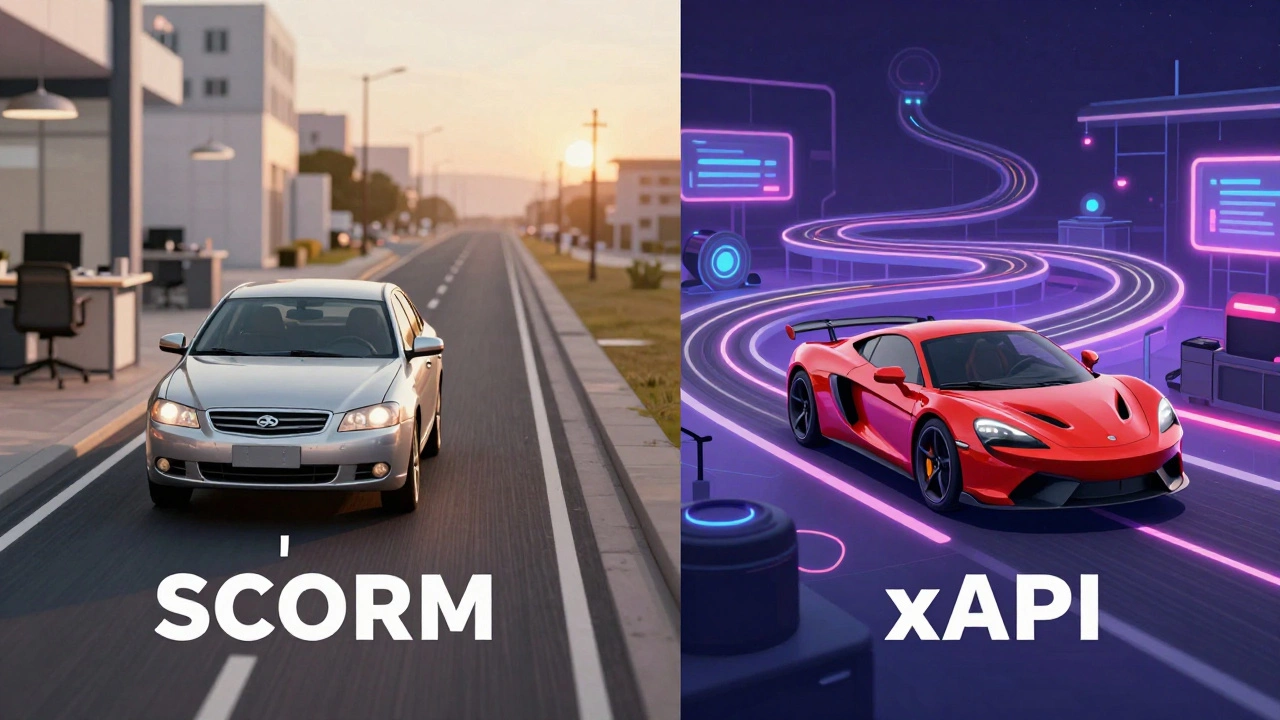
So, why do we still use SCORM? Because it works. It’s stable, predictable, and every LMS on the planet supports it. xAPI requires more infrastructure setup and isn’t universally compatible yet. For most businesses, SCORM remains the safest bet for reliable tracking. Think of SCORM as your reliable sedan and xAPI as a high-performance sports car. Unless you need the speed and flexibility of xAPI for advanced analytics, the sedan gets you where you need to go without breaking down.
Common Pitfalls and How to Avoid Them
Even with a standard, things can go wrong. Here are the most common issues I see in the field and how to fix them.
1. The "Blank Screen" Error
If you upload a SCORM package and see a blank white screen, it’s usually a path issue. The manifest file references files relative to its location. If you unzip the folder and rename it, or move files around manually, the links break. Never edit the contents of a SCORM ZIP file unless you know exactly what you’re doing. Upload the ZIP file directly to the LMS.
2. Progress Not Saving
This often happens if the learner closes the browser tab instead of clicking the "Finish" button in the course. SCORM relies on the LMSSetValue and LMSCommit calls to save data. If the page unloads abruptly, the commit might fail. Design your courses with clear "Exit" buttons that trigger the termination sequence gracefully.
3. Mobile Compatibility Issues
SCORM was born in the desktop era. While it works on mobile browsers, responsive design is not part of the SCORM specification. It’s part of your HTML/CSS. If your course looks tiny on a phone, the problem isn’t SCORM-it’s your authoring tool’s responsive settings. Ensure your HTML5 output is optimized for touchscreens and various aspect ratios.
Best Practices for Instructional Designers
To get the most out of SCORM, follow these guidelines:
- Test Locally First: Use a free local testing player (like the ADL SCORM Cloud trial) to verify your package before uploading it to your production LMS. This saves hours of debugging.
- Keep Packages Small: Large SCORM packages take longer to download and initialize. Break long courses into smaller Sharable Content Objects (SCOs). This improves load times and allows for better granular tracking.
- Define Clear Completion Criteria: In your authoring tool, explicitly set whether completion is based on time, slide view, or quiz score. Ambiguity here leads to inaccurate reports.
- Document Your Version: Clearly label your files as "SCORM 1.2" or "SCORM 2004." Don’t let the LMS guess. Misidentification causes parsing errors.
The Future of Standards
As we move further into 2026, the landscape is evolving. While SCORM remains the backbone of corporate training, new standards like cmi5 (a bridge between SCORM and xAPI) are gaining traction. cmi5 adds context to the data, allowing for richer reporting while maintaining the simplicity of SCORM delivery.
However, for the vast majority of e-learning projects, SCORM is still the right choice. It’s the common language that keeps the global e-learning ecosystem connected. Understanding it empowers you to build better, more portable, and more trackable learning experiences.
Does SCORM work on mobile devices?
Yes, SCORM works on mobile devices, but the experience depends on the course design. Since SCORM is just a packaging and communication standard, the visual layout is determined by HTML and CSS. If your course is built with responsive design principles (using HTML5), it will adapt to phones and tablets. Older Flash-based SCORM courses will not work on modern mobile browsers.
Can I convert a PowerPoint presentation to SCORM?
You cannot directly save a PowerPoint as SCORM. However, many authoring tools allow you to import PowerPoint slides and then publish them as SCORM packages. Tools like Articulate Storyline, Adobe Captivate, and even some free converters can wrap your PPT content in SCORM-compliant HTML and JavaScript to enable tracking.
What is the difference between SCORM and AICC?
AICC (Aviation Industry Computer-Based Training Committee) is an older standard that uses HTTP requests to communicate with the LMS, whereas SCORM uses JavaScript APIs. AICC is largely considered obsolete and is rarely supported by modern LMS platforms. SCORM is the current industry standard for web-based learning interoperability.
Is SCORM free to use?
Yes, the SCORM specification itself is free and open. Anyone can implement it without paying licensing fees to the ADL Initiative. However, the software tools you use to create SCORM-compliant content (like Articulate or Captivate) may require paid licenses.
Why is my SCORM course not reporting scores?
This is usually due to a mismatch in configuration. Check three things: 1) Did you set the passing score in the authoring tool? 2) Is the LMS configured to accept score data? 3) Are you using SCORM 1.2, which has limited scoring capabilities compared to SCORM 2004? Also, ensure the learner actually takes the quiz and submits it; simply viewing the slides won't generate a score.